Configure your tracking workspace
Choose the integrations your store needs and prepare a personalised Google Tag Manager workspace.

Connect OpenCart ecommerce events to a configurable Google Tag Manager workspace through the FlowyTracking service.
Connect OpenCart ecommerce events to a configurable Google Tag Manager workspace through the FlowyTracking service.
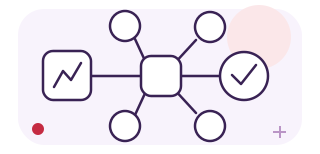
Choose the integrations your store needs and prepare a personalised Google Tag Manager workspace.
Work with catalogue, cart and purchase data through the OpenCart connector and its data layer.
Configure destinations such as GA4, Google Ads and advertising pixels from a shared tracking workflow.
Check the current OpenCart plan, included features and account requirements on the official FlowyTracking website.
Install the connector for your version and configure the account and workspace.
Test your selected integrations, consent settings and purchase events before publishing your workspace.
FlowyTracking is a separate hosted service. Its connector is listed as a free download on OpenCart Marketplace; the service has its own plans and billing. Confirm your exact OpenCart version and required integrations with FlowyTracking.
No. FlowyTracking and Google Marketing Tools are separate products with their own setup and commercial conditions.
Use the official FlowyTracking website to review plans, create an account and manage the service. It is not purchased through the DevmanExtensions licence cart.
Tell us your platform version, theme and interacting extensions before purchase. Custom integrations and adaptations are assessed and quoted separately.
Review the current download, service plans and conditions at the official destination.
Official website