Offer Landing Pages PRO
Create Black Friday and seasonal landing pages directly in OpenCart. Select products or organise offers by category and manufacturer, with scheduled discounts and a design that matches your store.
Turn temporary offers into dedicated shopping pages.
Create Black Friday and seasonal landing pages directly in OpenCart. Select products or organise offers by category and manufacturer, with scheduled discounts and a design that matches your store.
Explore pricingMain features
One campaign, or a whole collection of offers
Create multiple landing pages. Choose individual products, category blocks or manufacturer blocks, with a headline, optional description and multilingual content.
Set the offer where you build the page
Configure percentages, start and end dates, stores, customer groups and an optional minimum base price. Different overlapping discounts are reported together before saving; identical offers can appear on multiple pages.
Design it with your real catalogue
Choose from seven designs, adjust the colours and preview your catalogue inside the OpenCart administration. Add a general countdown or separate countdowns for blocks with different deadlines.
The offer follows the shopper to the cart
By default, active offers replace native specials and quantity discounts throughout the store. Enable Exclusive offer prices to restrict discounts to items added from that landing. Native pricing returns at expiry; OpenCart handles options, tax and currency. Coupons do not stack with landing offers.
Keep shopping on the landing
Add products straight to the native OpenCart cart. For products with options, choose a popup or redirect to the product page while preserving the offer.
Make every page your own
Customise fifteen colours, animated offer icons or your own background images. Optionally show the store logo above the headline and the native store header or footer. Administration is available in eight languages.
Browse large collections comfortably
Choose 1–100 products per page and sort by price before or after discount, date added or best sellers. Each category or brand has independent AJAX pagination. Product, category and manufacturer selectors use AJAX search.
Explore three real OpenCart landing pages
Individual products
Individual products ↗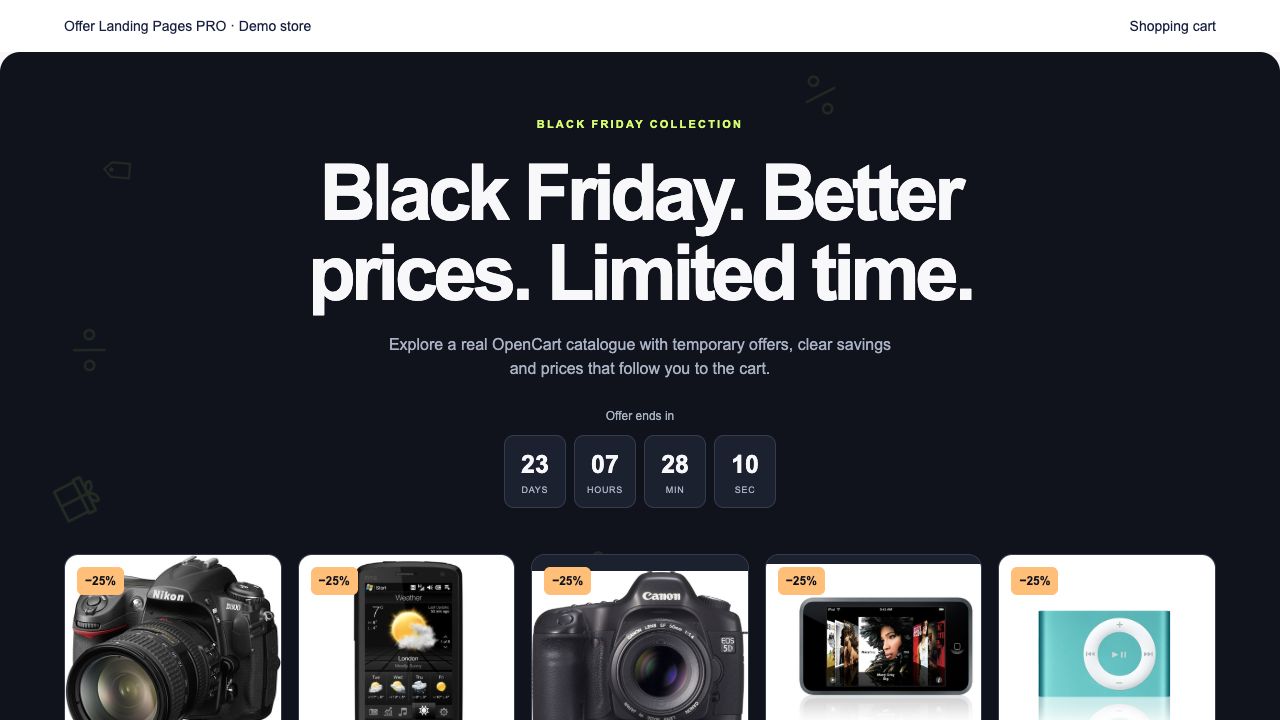
Category collections
Category collections ↗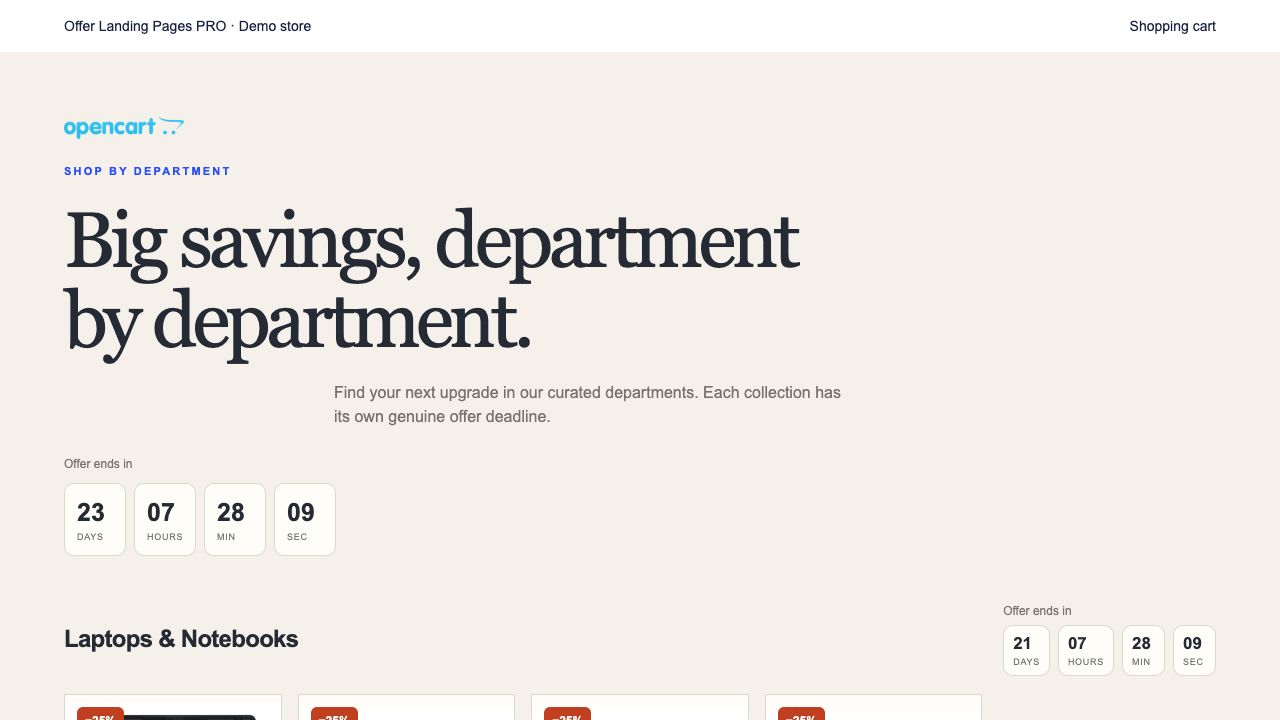
Manufacturer collections
Manufacturer collections ↗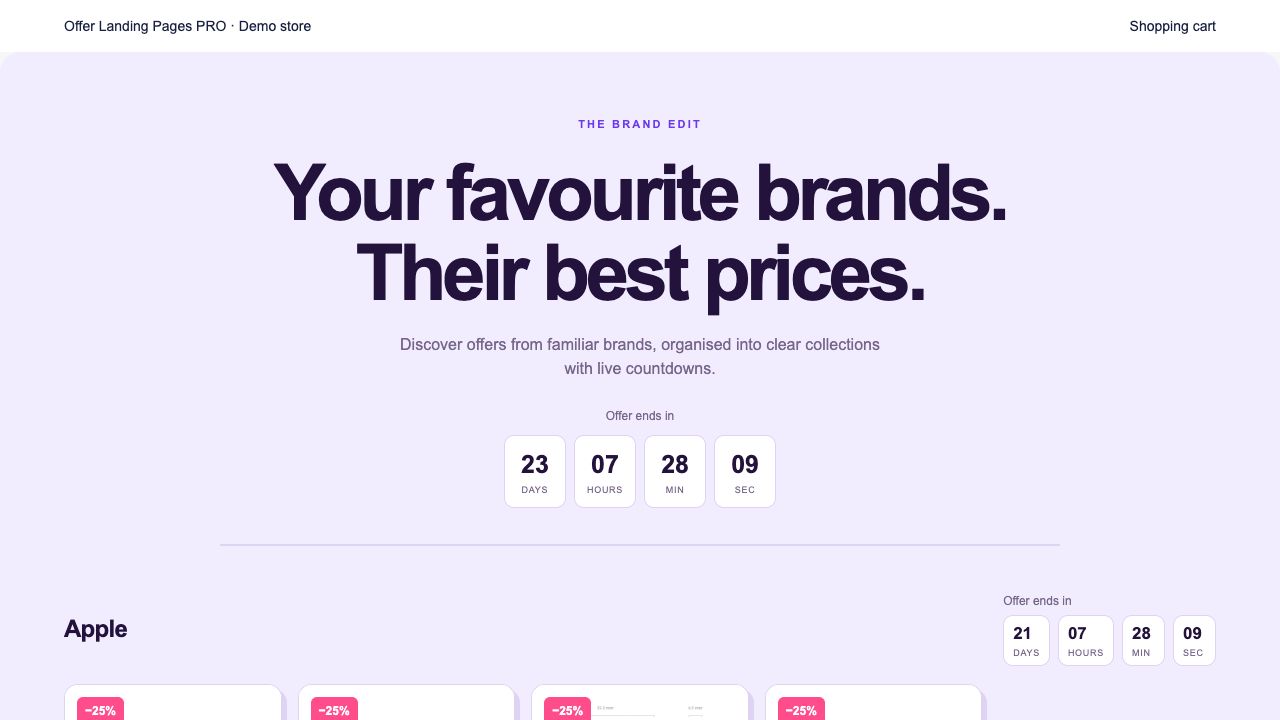
How it works
Choose the content and products, configure the discount and dates, then preview and save your landing page. Add an optional SEO keyword using your store's SEO URL configuration.
Administration demo
Read-only administration: demo / demo. The demo allows browsing and cart tests; orders and payments are disabled.
Administration demoCompatibility and setup requirements
Native installers for OpenCart 1.5.5–4.1. Legacy requires 64-bit PHP 5.6 or newer; follow the PHP requirements of your OpenCart version. Recurring and subscription products are excluded. Custom cart implementations require a compatibility adapter.
Includes 1 month of technical support for purchases on DevmanExtensions.com and OpenCart.com.
Themes and interacting extensions may require custom development. We will review the issue and provide a separate quote; custom adaptations are not included in the extension price.
Check compatibility with our teamWhat do you need?
Digital download after payment confirmation. No shipping charges.
Converted prices are estimates. Payment currency is confirmed at checkout.
Backend Demo Frontend Demo